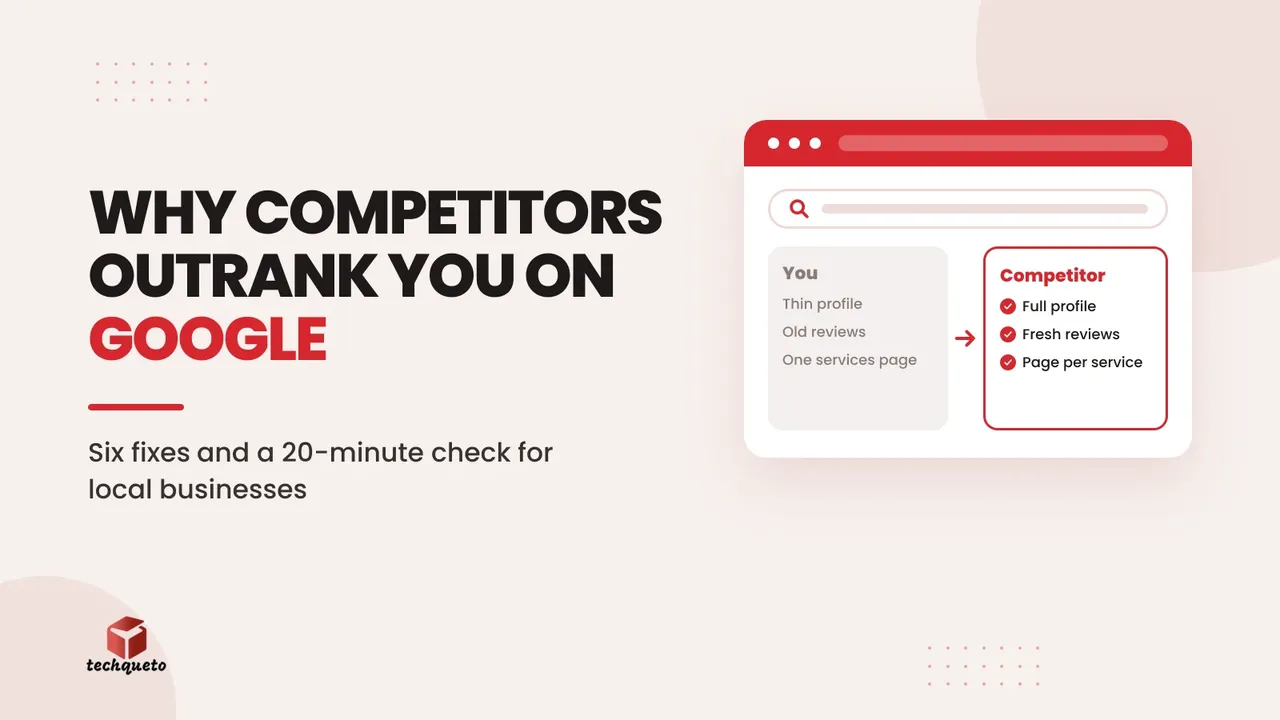
You offer the same service. Your prices are fair and your work is good. Yet when someone nearby searches for what you do, your competitor appears in the map results and on the first page, and you don't. Customers who never see you can't compare you, so they call whoever Google shows them.
This is rarely bad luck. When we compare a business with the competitor that outranks it, the gap almost always comes down to a handful of things Google can see and the business can fix. This guide walks through them in the order we check them, and ends with a 20-minute competitor check you can do yourself.
First, see what your customers see
Don't judge your visibility by searching your business name; everyone ranks for their own name. Search the way a new customer would:
- Use your phone, in a private or incognito tab, from your shop or office.
- Search for "[service] in [your area]", "[service] near me" and the two or three phrases customers use when they call you. For example, "interior designer in Mulund", "modular kitchen near me", "CA for GST filing Thane".
- For each search, note four places: the ads at the top, the map with three businesses (the "local pack"), the regular results below it, and any AI-written answer at the top.
Write down where you appear and who appears instead. Those businesses are your real competitors online, even if they aren't the ones you worry about offline.
If your website is verified in Google Search Console, its Performance report shows the actual searches you appear for and your average position. That is better than guessing.
Reason 1: their Google Business Profile is more complete
For searches with a local meaning, the map results come mostly from Google Business Profile, not from websites. A thin profile is the most common reason a good local business is invisible.
What to check and fix:
- Primary category. This is one of the biggest factors in which searches you appear for. Pick the most specific category that matches your main service ("Interior designer", not "Designer"), then add secondary categories for other real services.
- Services and products. List each service with a short description and a price range where you can. Customers read these, and they help Google match you to searches.
- Address or service area. If customers visit you, show the address. If you go to them, set the areas you actually serve rather than the whole state.
- Photos. Real, recent photos of your work, your team and your premises. Stock images do little.
- Hours and phone number. Keep them right, including holidays. Google has tightened its rules on phone numbers in profile posts; here's what changed.
- Posts and Q&A. Post offers and recent projects every couple of weeks, and answer common questions yourself.
Reason 2: they have more reviews, and more recent ones
Reviews affect both your ranking and whether people click. Three things matter: how many you have, how recent they are, and whether you reply. A competitor with 140 reviews, ten of them from this month, looks more alive than a business with 30 reviews from two years ago.
Do this:
- Ask every happy customer, at the moment they're happiest: when the job is handed over or the order arrives. Send your review link on WhatsApp with one line of thanks.
- Reply to every review, good and bad, within a few days. A calm, specific reply to a bad review reassures the next reader more than ten five-star ratings.
- Never buy reviews, offer discounts for them, or ask only the customers you expect to be happy. Google's policies forbid this and it can get reviews removed or the profile suspended. We explained how to protect your listing from unwanted edits and review problems.
Reason 3: their website has a page for what people search
Google ranks pages, not businesses. If someone searches "bathroom renovation in Mulund" and your site has one "Services" page listing eight things in a line each, Google has nothing specific to show. A competitor with a proper bathroom renovation page wins that search.
Do this:
- Create one page for each main service, with its own title: "Bathroom Renovation in Mulund, Mumbai | Your Brand".
- On each page, answer what a buyer asks before calling: what's included, price range, how long it takes, the process, photos of real projects, and common questions.
- Add location pages only for areas you genuinely serve, with something specific to say about each. Copying the same page fifty times with the area name swapped is the kind of thin content Google now demotes; we wrote about why mass-produced pages backfire.
- Link the pages to each other and from your homepage, so both visitors and Google can find them.
Reason 4: Google can read their site more easily
Some websites look fine to people but are hard for search engines to read: slow, broken on mobile, or partly invisible to Google.
Do this:
- Check Search Console's indexing report. If important pages show as "not indexed", find out why before writing more content.
- Make sure the site works well on a phone and loads quickly. Test it on PageSpeed Insights.
- Use the same business name, address and phone number on your website as on your Google profile, written the same way.
- Add LocalBusiness structured data, which tells Google your business type, address, hours and phone number in a format it reads directly.
- Submit a sitemap in Search Console so new pages are found quickly.
Reason 5: they're mentioned in more places
Google looks for confirmation that a business is real and established. Listings and mentions on other sites provide that.
Do this:
- Claim and complete your listings on the directories your customers use: Justdial, IndiaMART for B2B, Sulekha, and the main directories for your industry.
- Keep your name, address and phone number identical everywhere. Old numbers and addresses on forgotten listings confuse both Google and customers.
- Look for genuine mentions: trade associations you belong to, suppliers who list their partners, local news, events you sponsor.
Reason 6: they publish things worth finding
Businesses that answer customers' questions online get found for those questions, and every answer is a chance to be remembered when the person is ready to buy. This doesn't mean posting daily. It means writing a handful of genuinely useful pages: a cost guide, a comparison of materials, a checklist before starting a project, a case study with real numbers.
Search is changing, but the basics still decide it
Google now shows AI-written answers for many searches and lets people ask Maps questions in plain language. Those answers are built from the same signals described above: complete profiles, reviews that mention specifics, and pages that clearly answer questions. We covered how to prepare for Google's AI Mode in local search and for Ask Maps.
The 20-minute competitor check
Pick the competitor that appears most often in your searches and compare yourself side by side:
- Google Business Profile: their primary category, number of photos, services listed, how often they post.
- Reviews: their total, how many in the last three months, and whether they reply.
- Website pages: search "site:theirwebsite.com" on Google to see roughly how many pages they have, and which services have their own page.
- Page titles: look at the blue headlines Google shows for their pages. Do they name the service and the area?
- Speed and mobile: open their site on your phone, then yours. Which loads faster and is easier to use?
- Directories: search their business name and note which directories list them.
Write the gaps in a list. Usually two or three items explain most of the difference, and they're often quick to fix: a better category, a review routine, two proper service pages.
How to tell if it's working
Local SEO takes weeks to months, not days. Track progress monthly:
- Search Console: impressions and clicks for the searches you care about, and your average position.
- Google Business Profile performance: calls, direction requests and website clicks from the profile.
- Enquiries by source: ask every new customer how they found you, and note it.
If impressions rise but enquiries don't, the problem has moved from being found to being chosen. That's a website and trust issue, which we cover in why your website isn't generating leads.
Want to know exactly why a competitor outranks you? Talk to Techqueto. We run this comparison for businesses across Mumbai and India and turn it into a short list of fixes.