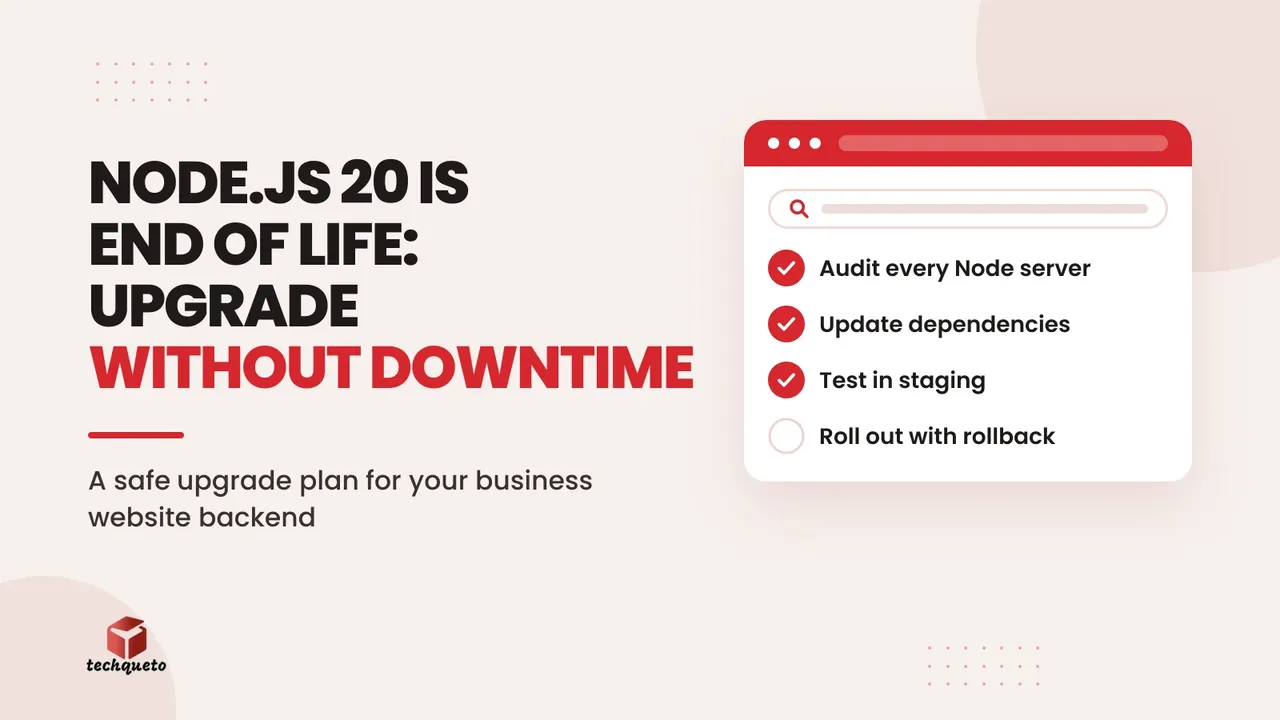
If your website, web app or API runs on Node.js, there is a date you should know: Node.js 20 reached end of life on 30 April 2026. The Node.js project no longer ships bug fixes or security patches for it, which means any new vulnerability found in that version stays open on your server. For a business site that takes enquiries, payments or bookings, that is a risk worth fixing before the festive rush rather than after an incident. This guide explains what Node.js 20 end of life actually means, which version to move to, and how to upgrade without taking your site down.
What Node.js 20 end of life actually means
End of life does not mean your site stops working today. Your code keeps running exactly as before. What changes is that nobody is fixing problems in that runtime any more: not security flaws, not bugs, not compatibility issues with newer tooling.
The official Node.js release schedule lists Node 20 under end-of-life releases. Over time, the practical effects add up. Hosting providers retire old runtimes, popular libraries drop support for them, and security scanners and cyber-insurance questionnaires start flagging them. Clients and payment partners increasingly ask what you run, and "an unsupported version" is an awkward answer.
Do this: Treat the end-of-life date as a deadline you have already passed, and schedule the upgrade this month instead of "sometime this year".
Which Node.js version should you move to?
The Node.js release schedule on GitHub gives these dates, and the project notes they are subject to change:
- Node 22 (Jod): in maintenance LTS since October 2025, end of life 30 April 2027.
- Node 24 (Krypton): Active LTS until 20 October 2026, then maintenance LTS, end of life 30 April 2028.
- Node 26: released in May 2026 and currently in the "Current" phase, with Active LTS scheduled to start on 28 October 2026 and end of life in April 2029.
For most business sites today, Node 24 is the safe target. It is a long-term support release with support running into 2028, which gives you a long runway. Node 22 is a reasonable stopgap if a dependency blocks you, but it gives you only about six more months. Node 26 is worth planning for once it enters LTS later this month, but production systems should stick to LTS lines, so leave it for a second step.
Do this: Pick Node 24 as your default target, and write down the next upgrade date now so you are never in a rush again.
Step 1: Find every place Node 20 is running
Most businesses are surprised by how many places Node hides. Your main site is the obvious one, but check all of these:
- The hosting or server runtime (VPS, shared Node hosting, platform settings).
- The
enginesfield inpackage.jsonand any.nvmrcor.node-versionfile. - Docker images (look for
FROM node:20in your Dockerfiles). - CI/CD pipelines such as GitHub Actions, where the Node version is often pinned separately.
- Background jobs, cron scripts, webhooks and small internal tools that nobody remembers building.
- Serverless functions and API routes that run on a runtime you chose years ago.
Run node -v on each server and search your repositories for the strings node:20, node-version: 20 and "node": "20. Put the results in a simple sheet with three columns: system, current version, owner.
Do this: Build the inventory first. You cannot upgrade what you have not found, and the forgotten cron job is usually the one that breaks.
Step 2: Check your dependencies before you touch production
Your code is rarely the problem. Packages are. Before upgrading, run npm outdated and npm audit and look for libraries that have not been updated in a long time, especially ones with native add-ons (image processing, password hashing and database drivers are the usual suspects). Read the changelog of your framework too. If you are on Next.js, for example, check which Node versions your release supports; our post on Next.js 16.3 instant navigations covers the framework side of keeping a modern stack current.
Remove packages you no longer use, update the ones that have new compatible releases, and note any that need replacing. This is also the moment to remove the "temporary" workaround from 2023 that nobody dares to touch.
Do this: Update dependencies in a separate branch first. If something fails, you want to know whether the cause is Node or a package.
Step 3: Upgrade in staging and test the paths that make money
Create a staging copy of your site with the same environment variables, database structure and hosting setup as production, and switch it to Node 24. Then run your automated tests, and if you have none, do a manual pass on the journeys that matter most:
- The enquiry or contact form, including the email or WhatsApp notification that follows.
- Checkout, payment gateway callbacks and order confirmation emails.
- Login, password reset and any admin or CMS screens.
- Third-party integrations: CRM, Google Analytics events, Meta Pixel and Conversions API calls.
- Page speed, using Core Web Vitals, since a runtime change can shift server response times. Our guide to fixing INP and slow-feeling websites shows what to measure.
Watch the logs while you test. Deprecation warnings you see on Node 24 are a free to-do list for the next upgrade.
Do this: Write down a five-to-ten line test script of your most valuable user journeys, and run it after every upgrade. It takes ten minutes and pays for itself the first time it catches a broken checkout.
Step 4: Roll out with a rollback plan
Pick a quiet window, not a sale day. For many Indian businesses that means avoiding Diwali week, Dhanteras and big marketplace sale dates, and choosing an early weekday morning instead. Before you switch, take a backup of the database and the current build, and make sure you can revert the runtime in minutes. Containers make this easy: keep the old image tagged and ready.
Roll out in stages if you can: one server or one percent of traffic first, then the rest. Monitor error rates, response times and form submissions for the first 24 hours. If anything looks wrong, roll back, fix in staging and try again.
Do this: Define in advance what "rollback" means (who flips the switch and how), so nobody is improvising at 11 p.m.
A worked example: planned upgrade vs. emergency fix
These figures are an illustrative example, not real client data. Imagine a D2C store that earns around ₹30,000 a day in online sales during the festive season and runs on an unsupported Node version.
- Planned upgrade in a quiet week: about 12 developer hours in staging and rollout at ₹1,500 an hour is roughly ₹18,000, with no lost sales.
- Forced emergency fix during Diwali week: a two-day outage while a developer scrambles to patch and redeploy costs about ₹60,000 in lost sales, plus perhaps ₹25,000 in urgent developer fees. That is around ₹85,000, before counting damaged customer trust and wasted ad spend sending traffic to a broken site.
Your numbers will differ, but the shape stays the same: the planned upgrade is cheap, and the unplanned one is expensive. If you are running Meta or Google ads at the same time, a broken landing page also burns your budget by the hour.
Do this: Calculate your own daily revenue and ad spend, and multiply by two days. That number is what delay can cost you.
Your Node.js 20 end of life checklist
Use this as a quick summary you can hand to your developer:
- List every system running Node (servers, Docker, CI, cron jobs, serverless).
- Choose Node 24 LTS as the target; use Node 22 only as a short bridge.
- Update and audit dependencies in a separate branch.
- Upgrade staging first and test forms, payments, logins and integrations.
- Schedule production for a quiet window with a backup and rollback plan.
- Monitor for 24 hours, then update your documentation and set a reminder for the next upgrade.
The bottom line
Node.js 20 end of life is not an emergency today, but it becomes one the day a serious vulnerability is announced and there is no patch for your version. A planned move to Node 24 LTS is a small, predictable job; a rushed one in the middle of a sale is neither. Take inventory this week, test in staging next week, and ship the upgrade in a calm window before the festive traffic arrives.
Need help with this? Get in touch with Techqueto — we build and grow websites for 100+ brands across India and the UAE. Ready to get started? Get started here.