The moment an AI assistant can send an email, edit a calendar or run a command, the question changes from "is it clever?" to "what is it allowed to do?" This last post in our Claude OS series is for owners and managers who are about to give an assistant real access. You will leave with a three-list rulebook you can write in half an hour.
The rule one Claude OS project lives by
The personal Claude OS write-up describes an assistant with calendar, contacts and email tools, plus several cooperating Claude sessions. Its stated principle is "Boundaries matter more than capabilities", and the rule it gives is to "act freely on reversible things, always ask before messages or commitments." Those are the author's own claims about their own setup, which we have not verified. But the principle is useful for any business, and it is easy to apply.
The other project, agno-agi/claude-os, lists shell tools among its demo actions. A tool that can run commands on a computer is powerful and risky in equal measure, which is why deciding the limits first matters.
Sort every task by whether it can be undone
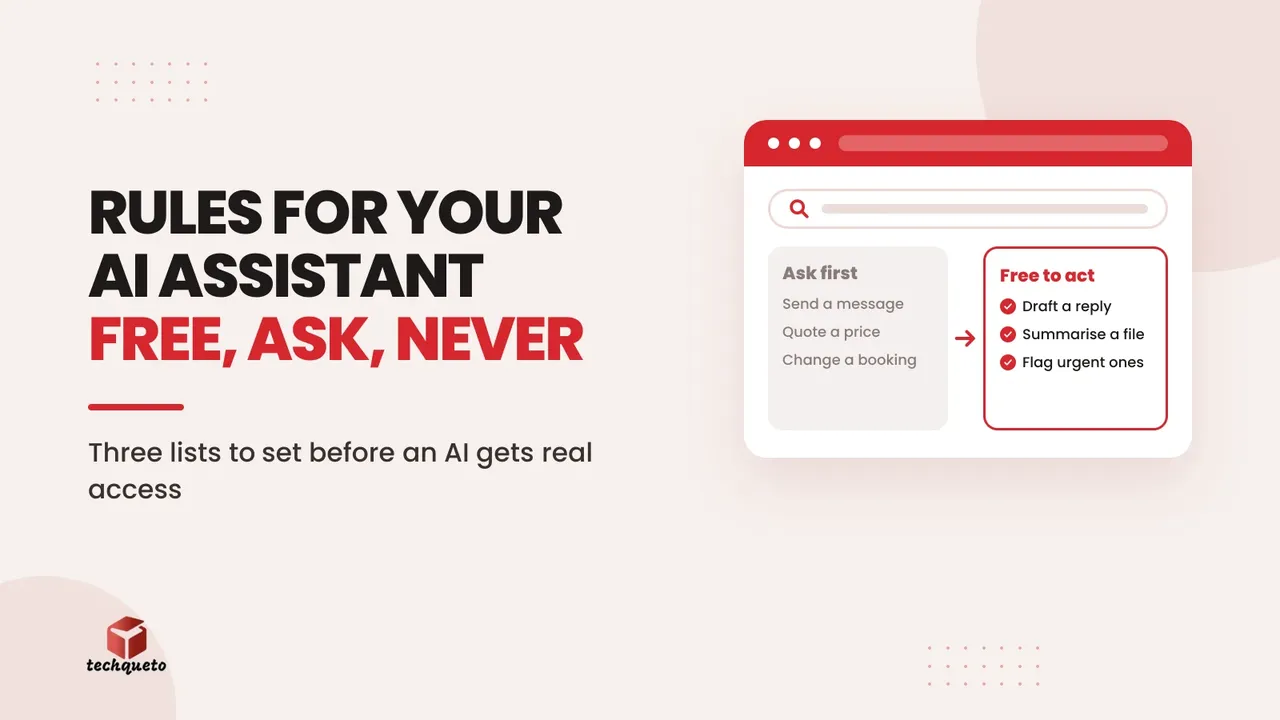
Ask one question about each thing you might hand to an assistant: if it gets this wrong, can we put it right quietly? Then sort tasks into three lists.
- Free to act. Reversible and private to your team: drafting a reply for you to read, summarising a document, tidying a spreadsheet copy, suggesting a post caption.
- Ask first. Anything that leaves the building or commits you: sending a message to a customer, changing a booking, posting publicly, quoting a price, promising a date.
- Never. Things you decide a person must always do: refunds, legal or medical statements, deleting records, handling payment details, replying to a complaint.
The middle list is where most small-business mistakes happen. A drafted message costs nothing if it is wrong. A sent message cannot be unsent.
Turn the lists into working rules
Writing the lists is the first step. These habits make them stick:
- Give access in small steps. Start with read-only access to one folder or one inbox, not the whole account.
- Use a separate login. Create a dedicated account for the assistant, so you can switch it off without touching anyone else's access.
- Keep a visible log. You should be able to see what the assistant did and when. Anthropic's hooks reference shows one way to run your own checks at set points when using Claude Code.
- Name an owner. One person reviews the log weekly and is the only one who can widen the lists.
- Put the rules in the instructions. Include the three lists in the file or prompt you give the assistant, as described in the memory post of this series, so it knows its limits every time.
A worked example: a coaching class enquiry inbox
This is an example, with made-up rules, for a coaching class that gets enquiries by email:
- Free to act: read new enquiries, draft a reply from the course list, flag urgent ones.
- Ask first: send any reply, offer a trial class, mention fees.
- Never: discuss a student's marks, change a batch, respond to a complaint.
If the assistant drafts 20 replies a week and each takes you 2 minutes to check, that is about 40 minutes of review (example figures). It is a small price for knowing that nothing reached a parent without your eyes on it.
Where a human should stay in the loop
On the Deepak Classes site we built, the contact page has a simple message form, the full address, a phone number and an email address. Enrolment there often starts with a phone call or a walk-in. The first conversation with a family is a human one, and a website's job is to make it easy to start.
The same thinking applies to an assistant. Let it prepare the ground, but keep a person on the first reply to anyone making a decision about their child's education or their own health.
Do this: before you give an assistant any access, write the "Never" list first. It is the shortest list and the one that prevents the costliest mistakes.
Check your list against these questions
- Could any task on the free list affect a customer if it went wrong?
- Does every "ask first" item show you the exact message or change before it happens?
- Is anything on the "never" list reachable through a tool you have already connected?
- Who reviews the log, and how often?
For help choosing safe, practical uses of AI in your business, see our AI page.
Write your three lists before you give an assistant access
Spend half an hour on free, ask-first and never. Share the lists with your team, paste them into the assistant's instructions, and revisit them monthly. That small document is the difference between an assistant that saves time and one that sends something you cannot take back.