An AI agent is different from a chatbot. A chatbot answers. An agent acts: it reads your inbox, replies to enquiries, edits your online store, pauses ads or sends invoices, using the logins you gave it. This guide is for owners and marketing managers who are about to connect an AI tool to real business accounts. By the end you will have a one-page access sheet and a short list of rules that keep a mistake, or a hijacked tool, from becoming an expensive problem. Think of it as AI agent security for small business, in plain language.
The core idea is simple. If an agent acts as you, then what it does is, in practice, your responsibility. Software vendors rarely promise to cover losses from an agent they did not build, so the safest assumption is that the damage lands on you. Your job is to make sure the agent can only do small, reversible things.
What can actually go wrong
OWASP, the security community behind the widely used Top 10 for LLM applications, has a name for this problem: Excessive Agency. It describes damaging actions that happen when an AI system acts on unexpected, ambiguous or manipulated output. OWASP traces the root cause to three things: the agent has too many functions, too many permissions, or too much autonomy.
Their own example is worth reading slowly. An assistant is given access to a mailbox so it can summarise incoming emails. The tool it uses can also send messages. A malicious email tricks it into forwarding sensitive messages to an attacker. OWASP's fixes are exactly the habits below: give it read-only access, and make a human press send.
For a small business, the same pattern looks like this:
- A customer enquiry contains hidden instructions that make the agent reveal pricing, client lists or login links.
- The agent misreads a request and issues a refund, a discount or an order cancellation nobody approved.
- A tool you connected months ago still has access to your ad account after you stopped using it.
- A leaked token from a tool you barely remember lets someone else act as you.
None of this needs a sophisticated attacker. Over-broad access plus one mistake is enough.
The five rules that cover most of the risk
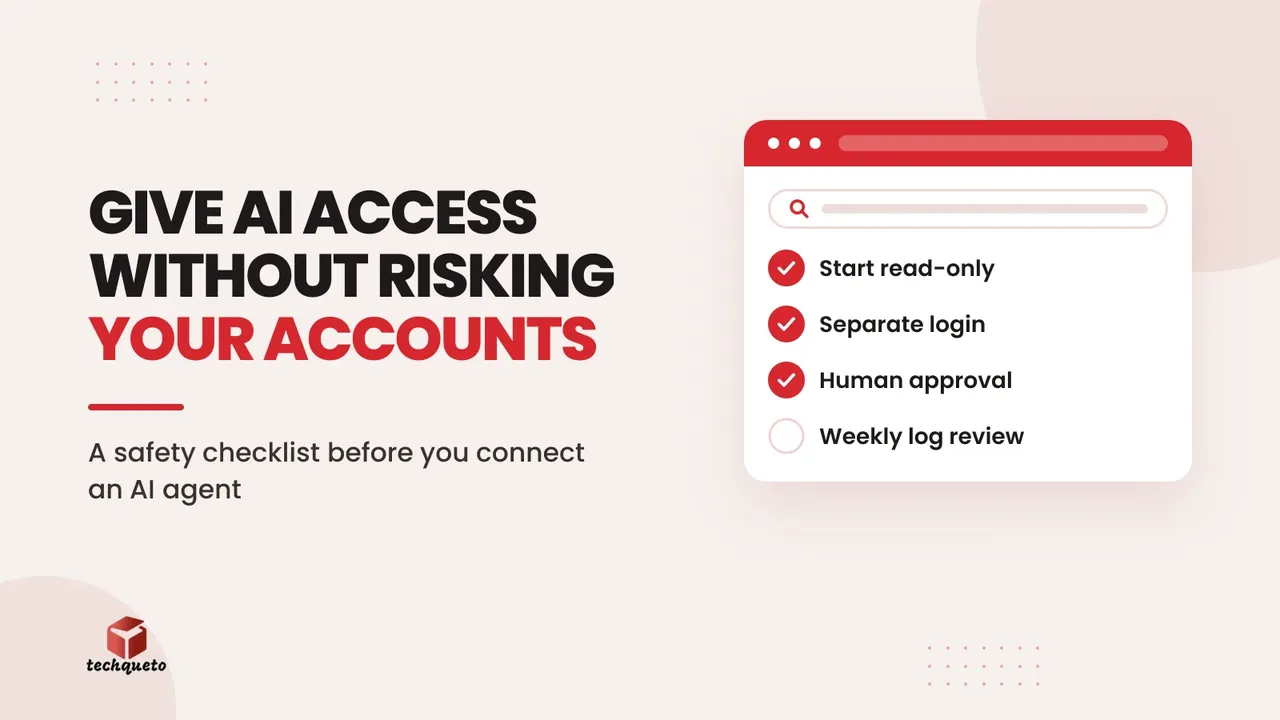
1. Start read-only. Let the agent read first: summarise enquiries, draft replies, prepare a weekly report. Move to write access only when it has been accurate for weeks and the task clearly needs it. OWASP's guidance is to limit both the functions a tool has and the permissions it holds to the minimum the task needs.
2. Give every agent its own login, never your master one. Use a separate user or an app connection (OAuth, the "Sign in with" style permission screen) with a narrow scope. Never paste your main password, one-time codes or payment-gateway keys into an AI tool. If the tool gets breached, you revoke one connection instead of changing everything.
3. Put a human between the agent and anything that cannot be undone. Sending a customer message, issuing a refund, changing prices, publishing a post, spending ad budget and deleting data all need an approval step. OWASP calls this human-in-the-loop control. The agent prepares; a person approves.
4. Cap the damage with limits. Set a daily ad budget the agent cannot exceed, a maximum discount it can offer, and a limit on how many emails it can send per hour. Rate limits will not stop a mistake, but they shrink it and give you time to notice.
5. Keep a log and read it. Every action the agent takes should be visible somewhere: a sent folder, an activity history, a change log. Put a 10-minute weekly review in the calendar. An agent you never review is an agent you are trusting blindly.
Do this: Before connecting any AI tool, write down in one line what it needs to do and nothing else. If a permission screen asks for more than that line, say no or pick a narrower tool.
How we set up the AI writer for this blog
This is a real setup, not a scenario. As our How we write page explains, we use AI writing tools to help research and draft blog posts, and a person on our team checks and edits every post before it is published. The way that tool is connected follows the five rules above.
- Its own key, not a staff login. The scheduled AI writer connects to our website with a dedicated access key created for it alone. If we ever needed to stop it, we would switch off that one key without touching anyone's account.
- Only the tools it needs. Each key on our site turns individual actions on or off. The writer's job is to save a draft and a cover image, so that is what its instructions are built around.
- Drafts, not live pages. The writer saves posts as drafts. Nothing it writes reaches the public blog until a person reads it, checks the facts against their sources and presses publish.
- A visible record. Every draft carries its saved versions and dates in our admin, so we can see what was written, when, and what a person changed before publishing.
- Checks before approval. Our admin dashboard checks each draft against the writing rules, such as length, sources and banned phrases, before anyone decides to publish it.
None of this slows the writing down much. It means the riskiest step, putting something public under our name, always has a person on it.
Example scenario: an enquiry-reply agent for a clinic
This is an illustrative scenario, not a client case.
Imagine a small clinic that wants an AI tool to speed up replies to website and WhatsApp enquiries. A careful setup could look like this:
- Access: read-only on a shared enquiries mailbox. No access to patient records, billing or the owner's personal email.
- Actions: it drafts a reply and tags the enquiry (appointment, pricing, directions). It cannot send.
- Approval: the receptionist reviews each draft and presses send. Anything mentioning medical advice or fees is flagged for the doctor.
- Limits: the tool can only reuse a short approved FAQ, not invent answers.
- Review: once a week, the owner checks ten drafts against what was actually sent.
After a month, the clinic may decide that replies to simple questions such as opening hours can go out automatically, while everything else stays approved by a person. That is the right order: trust is earned in small steps.
If you want to give an AI tool a reliable source to answer from, our guide to setting up an AI knowledge base from your own documents pairs well with this, and AI assistant rules for small business covers how to write boundaries an assistant must follow.
Check the tool before you connect it
Before you grant access, run any new AI tool through these questions:
- What exactly does it ask permission to do? Read, write, send, delete, spend?
- Can I limit it to one folder, one mailbox or one ad account?
- Can I see a history of everything it did?
- How do I disconnect it, and does disconnecting remove its stored copy of my data?
- What do its terms say about responsibility if the tool makes an error or is compromised? Read that section, not just the features page.
- Who can see the data I send it, and is it used to train models?
If a vendor cannot answer these clearly, treat that as your answer.
The NIST AI Risk Management Framework is a voluntary, free framework for managing AI risks to organisations and individuals. It is written for larger organisations, but its basic habit scales down well: understand what the AI can affect, measure how it is behaving, and keep someone accountable for managing it.
Signs you have given an agent too much access
- You cannot say, from memory, which accounts it can reach.
- It uses your own login instead of one of its own.
- It can send, publish or spend without anyone approving.
- Nobody has looked at its activity in the last month.
- You connected it for a trial and never disconnected it.
Fixing these takes an afternoon. Cleaning up after a hijacked tool takes far longer.
Your AI agent access sheet
Keep one page, in a shared document, with a row for every AI tool connected to your business:
- Tool name and who owns it internally
- What it needs to do (one line)
- Accounts and data it can reach, and whether access is read-only
- What needs human approval before it happens
- Spend, send and discount limits
- Date connected and date of the next access review
- How to revoke access, in two steps
Review the sheet every quarter and whenever a team member leaves. Anything on it that nobody can justify gets disconnected. If you are planning to bring AI into your enquiry handling or marketing and want it set up with these guardrails from the start, our AI solutions page explains how we approach it.