AI image tools can turn one product photo into twenty ad variations in an afternoon. The trouble is that twenty variations made the same way tend to look the same: the glossy background, the too-perfect skin, the shapes that are almost right. This guide is for owners and marketing managers running Meta or Google ads on a small budget who want the speed of AI without the stock-AI look. You will leave with a simple split between what AI should and should not make, the platform rules that apply to AI ad creatives for small business, and a checklist to run before any ad goes live.
Where AI helps and where it hurts
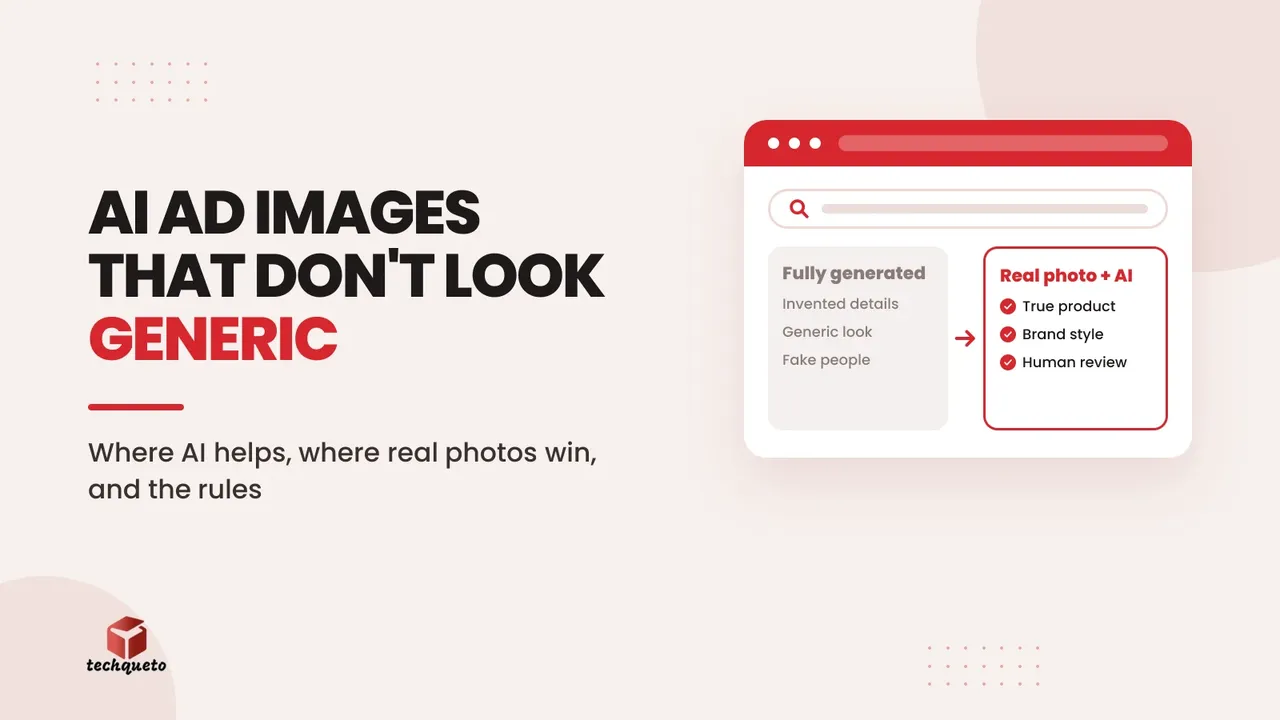
The simplest rule: use AI around your product, not instead of it.
AI is a good fit for:
- Replacing a cluttered or dull background behind a real product photo
- Making size and layout variants of an ad you already know works (square, vertical, story)
- Drafting alternative headlines and short captions for you to edit
- Mock-ups and rough concepts to brief a designer or photographer faster
- Removing small distractions from an otherwise good photo
Keep it real for:
- The product itself: shape, colour, texture, size and finish must match what the customer receives
- Faces and people: real customers, your team and your premises build trust that generated people do not
- Results and proof: reviews, before-and-after shots, certificates and testimonials must never be generated
- Anything where a wrong detail creates a complaint or a return: stitching, ingredients, labels, dimensions
If a customer would feel misled on opening the parcel or walking into the shop, the image has crossed a line, whatever tool made it.
What this looks like on a real store
Nanzi Apparel, a clothing brand whose D2C store we built, shows why the product must stay real. Its shirts are organised the way shoppers choose them: by collar, button-down or mandarin, and by pattern, line or plain. A shopper who clicks an ad for a mandarin-collar shirt is choosing on exactly the detail an image tool is most likely to smudge or "improve".
So for a brand like this, the safe split is clear. A generated backdrop, a seasonal setting or a resized story version of a real photo is fine. The collar, the pattern, the fabric texture and the colour must come from a photo of the actual garment. The same goes for the size: Nanzi sells each size as its own item, and an ad that makes a shirt look slimmer or longer than it is will show up later as a return. This is guidance drawn from the store's real structure, not a claim about how any particular Nanzi ad performed.
How to avoid the generic look
Generic AI ads come from generic prompts. Three habits fix most of it.
Write a one-page brand sheet first. Colours with hex codes, fonts, how the logo is placed, the style of photography you use, the words you never use, and three real ads you admire. Paste the key points into every prompt and judge every output against the sheet.
Start from your own photography. An image that begins as a real photo keeps real texture and real proportions. A fully generated product shot invents details, and shoppers notice.
Pick specifics over adjectives. "Warm morning light on a wooden kitchen counter, shot from slightly above, a steel flask with a visible dent-free finish" gives a more believable result than "premium lifestyle product photo". Then make a person look at it critically: extra fingers, garbled text on packaging, odd reflections and impossible shadows are the usual giveaways.
Do this: Pull up the best-performing real photo ad from your own account. Use it as the reference for lighting, framing and mood, and ask the tool to match it instead of inventing a new style.
Platform rules to know before you publish
Platforms treat AI imagery as something to identify, not something to ban, but the details matter and they change, so always check the current help pages.
Meta (Facebook and Instagram). Meta's help centre explains that ad images created or significantly edited with its own generative AI creative features, such as background or image generation, can carry an AI info label. If the image includes an AI-generated photorealistic human, the label sits next to the Sponsored label. Minor edits such as resizing or colour correction do not trigger it. Meta has also said it will use industry-standard signals to detect ads made or edited with third-party AI tools and label them, so using an outside tool does not guarantee there is no label. Read Meta's announcement on expanded ad transparency for the reasoning. For ads about social issues, elections or politics, disclosure is already required.
Google Merchant Center (product listings). If you sell products through Shopping or free listings, Google's AI-generated content policy requires images made with generative AI to carry the IPTC DigitalSourceType "TrainedAlgorithmicMedia" metadata, and tells you not to strip that metadata. AI-generated titles and descriptions must be supplied through separate, labelled attributes. In practice: do not run AI images through a tool that wipes metadata, and keep a record of which product images were generated.
Google Search (your website and product pages). Google's guidance on generative AI content says using AI is not itself a problem, but producing large amounts of content without adding value for users can break its spam policy on scaled content abuse. It also stresses accuracy, quality and relevance, including in image alt text and structured data, and suggests human review before publishing. Google's older AI content guidance adds that disclosure is useful where people might reasonably wonder how something was made.
A label is context, not a penalty. What actually costs you is an ad that looks fake or misleading, so the label matters less than the quality of the creative.
A simple workflow your team can follow
- Brief: one line on the goal, the audience and the single message of the ad.
- Source: start from a real photo or real footage wherever the product appears.
- Generate: use AI for backgrounds, variants and drafts, with the brand sheet pasted in.
- Edit: a person fixes text, logos, colours and any distorted detail by hand.
- Check: run the pre-launch review below.
- Record: note which assets used AI, which tool, and the date, so you can answer platform questions and keep metadata intact.
- Test small: run two or three variants on a small budget and let real results decide. If you want a method for judging them, see our guide on setting a break-even CPM for Meta ads, and if clicks are not turning into enquiries, finding the leak in your ad funnel.
Example scenario: a home-decor seller's festive ad
This is an illustrative scenario, not a client case.
Imagine a home-decor seller with good product photos on a plain table and no budget for a studio shoot. The seller keeps the real photo of a brass lamp, uses AI only to place it on a styled shelf, then checks the result against the real lamp: the finish, the proportions and the colour. The text on the ad (price, offer, delivery) is added by hand in a design tool, not generated. One variant keeps the original plain background. Both run on a small daily budget for a week, and the seller keeps whichever earns more enquiries per rupee. The AI saved a photoshoot; the real photo kept the product honest.
For more on building an AI toolkit for marketing that is worth paying for, see our guide to AI tools for marketing in India.
A pre-launch review for every AI ad
Before any AI-assisted creative goes live, answer yes to each of these:
- Does the product in the image match what the customer will actually receive?
- Are all words, prices, logos and labels in the image correct and typed by a person?
- Does any person in the image exist, and have we the right to show them? If the person is generated, is that acceptable for this ad?
- Is there any generated review, result, certificate or testimonial? If yes, remove it.
- Do the colours, fonts and style match the brand sheet?
- Have we looked for AI giveaways: hands, text, reflections, repeated patterns, impossible shadows?
- Is the metadata intact for any product image submitted to Google Merchant Center?
- Have we recorded which tool made it, and is the creative ready to carry a platform AI label without embarrassing us?
If one answer is no, fix it before spending a rupee. If you would like help building a creative process like this for your ads, our marketing page explains what we do.