If you run Facebook or Instagram ads, there is a date to put in your calendar: 28 October 2026. According to PPC Land's report on Meta's advertiser notice, Meta will switch on "product browsing" by default for existing ads on that date, and advertisers who want the old behaviour need to opt out before then. If you are weighing a Meta product browsing opt out, this guide explains what the feature does, what could go wrong in peak Diwali spend, and how to test it with your own numbers instead of guessing.
A quick honesty note first: at the time of writing, Meta had not published a Help Center article or changelog entry for this change, so the details below come from the advertiser notice as reported. Treat it as a heads-up to verify inside your own Ads Manager.
What Meta product browsing actually does
Product browsing is an existing Advantage+ creative enhancement. When someone taps your ad, Meta may show an in-app experience on Facebook or Instagram with product information and personalised suggestions, instead of sending the person straight to your website. The report notes that Meta does not say where those suggestions come from.
That is a meaningful change in who owns the customer journey. Normally, a click on your ad lands on your product page, where your pricing, trust signals, reviews and checkout do the selling. With product browsing, part of that journey can happen inside Meta's app first. For a brand that has spent months improving its landing pages, that matters.
What changes on 28 October
Per the report, product browsing turns on by default for your existing ads. The notice reportedly reached advertisers around 14 October. It is not clear from the notice whether new ads will also default to it, or which formats, placements and objectives are covered, so check your own ads rather than assuming.
Do this: Open Ads Manager today and look for the opt-out notice. If you manage several client accounts, check each one, because it is not clear whether one click covers a whole portfolio.
Why this matters more during Diwali
The weeks around Diwali are when your ad spend is highest and your margin for error is smallest. If you have already read our guide on setting a break-even CPM ceiling before you scale, you know the festive auction is expensive. Adding an untested change to the click experience in the middle of that window means you could change two things at once and not know which one moved your results.
There are three risks worth thinking about:
- Fewer visits to your own site. If some people browse products inside the app, fewer sessions reach your website, which can thin out your analytics and your retargeting audiences.
- Tracking gaps. Your pixel and Conversions API setup are built around site visits and purchases. A different journey can change what gets recorded and when.
- Weaker brand control. Your page layout, offers, bundles and trust badges may not appear in the same way inside Meta's experience.
None of this means product browsing is bad. Meta runs it as a creative enhancement because it can help some advertisers. The point is that you should choose it deliberately, not have it switched on for you.
Do this: Write down your current cost per purchase (or cost per lead), landing-page view rate and checkout rate before 28 October. Without a baseline, you cannot judge whether the change helped or hurt.
How to opt out (and how to opt in per ad)
According to the report, there are two routes:
- The notice button. Meta's notice includes an "Opt out" button you can use before 28 October. One advertiser reported that it opened a page showing the account and asked them to confirm.
- The per-ad setting. Product browsing can be turned on or off at any time in the Advantage+ Creative and Destination settings of an individual ad.
The second route is the more useful one for testing, because it lets you keep the feature on for some ads and off for others.
Do this: If you sell high-consideration products or services (furniture, jewellery, education, B2B), or if your landing page is a strong converter, lean towards opting out of the notice-level default and then enabling product browsing on selected ads as a test. If you run a catalogue with many low-priced products, you may be more curious about leaving it on, but test before you trust it.
Run a clean 7-day test
The safest way to decide is a controlled split test. Do not compare this week's results with last week's, because Diwali demand changes every day.
- Duplicate one proven ad into two identical versions.
- In version A, turn product browsing off. In version B, leave it on.
- Give both the same audience, budget, placement and schedule, and run them side by side for about seven days.
- Compare cost per purchase or lead, not clicks. Cheap clicks that never reach your checkout are not a win.
- Check your tracking in both versions so you know both are recording conversions properly.
If you also use Click-to-WhatsApp ads, remember those depend on a different journey. Our guide to Click-to-WhatsApp ads for Diwali 2026 covers how to measure chats that turn into sales, which is worth doing alongside this test.
A worked example (illustrative numbers only)
The figures below are an example to show the maths, not real results.
Say you sell a product at ₹700 with a 40% gross margin. Your break-even cost per purchase is ₹280 (₹700 × 40%).
- Version A (product browsing off): ₹15,000 spend, 60 purchases recorded, so ₹250 per purchase. Profit per order is ₹30, so about ₹1,800 profit across 60 orders.
- Version B (product browsing on): ₹15,000 spend, 50 purchases recorded, so ₹300 per purchase. That is ₹20 above break-even, so about ₹1,000 lost across 50 orders.
In this example, opting out is the better call. But flip the numbers and the answer flips too. If version B recorded 70 purchases at about ₹214 each, leaving it on would win. The decision belongs to your data, not to a default setting. Also remember that if version B records fewer purchases because of tracking gaps, the real-world sales may be higher than reported, so check your actual order count in your store backend as well as in Ads Manager.
Do this: Set your break-even cost per purchase before the test starts and decide in advance what result would make you keep the feature on.
A pre-28-October checklist
Use this list across every ad account you manage:
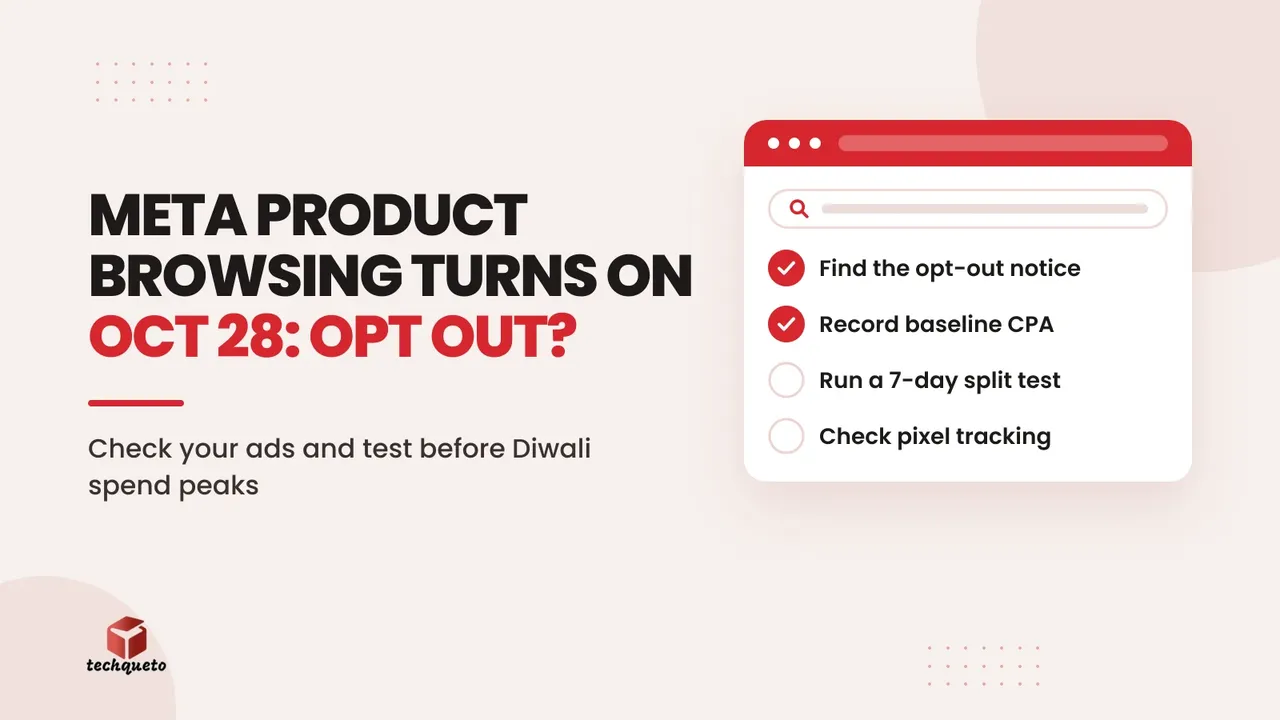
- Find the opt-out notice in each ad account and note the deadline.
- Record baseline results for the last 14 days.
- Decide your default: opt out for everything, or opt out and test selectively.
- Confirm your pixel and Conversions API are recording purchases and leads correctly.
- Review the Advantage+ Creative and Destination settings on your top five ads.
- Set a reminder to review results after seven days and again after Diwali.
If your ads are bringing clicks but few enquiries, the cause may sit on your site rather than in Meta's settings. Our guide to fixing the leak in a clicks-but-no-leads ad funnel walks through how to find it.
The bottom line
Product browsing is not a disaster, and it is not a free upgrade either. It is a default that changes where part of your customer's journey happens, switched on at the busiest and most expensive time of the year. Opt out if you want predictable Diwali results and a clean read on your landing pages, then test the feature on a small budget so the decision comes from your own numbers. Whatever you choose, do it before 28 October, and verify the details in your Ads Manager, since Meta's own documentation had not caught up when this was reported.
Need help with this? Get in touch with Techqueto — we build and grow websites for 100+ brands across India and the UAE. Ready to get started? Get started here.