Google is moving Search advertising from keyword lists you control to an AI layer that decides much more on its own. That layer is called AI Max for Search. It is now the default direction for Search campaigns: accounts using broad match or automatically created assets were migrated during September 2026, and Dynamic Search Ads are next. For a business spending its own money on Google Ads, the question isn't whether to use AI Max, but how to set its boundaries so it finds new customers rather than new ways to spend.
This guide explains what AI Max changes, the timeline, and a setup and monitoring routine that works for small and mid-sized Indian advertisers.
What AI Max actually changes
Classic Search campaigns show ads when a search matches your keywords, using ad text you wrote, pointing to the page you chose. AI Max loosens all three:
- Matching. Besides your keywords, it reads your ad assets and landing pages to find other searches it thinks fit, including queries your keywords never mentioned.
- Ad text. It can generate headlines and descriptions from your site and assets. These are labelled in reporting, so you can see which text Google wrote.
- Landing pages. It can send a click to whichever page on your site it judges most relevant, not just the one you set.
Dynamic Search Ads already worked a bit like this, crawling your site and matching searches to its content. Google describes AI Max as their next generation: the same idea with far more signals about what a searcher wants.
Used well, that can find profitable searches you'd never have thought to bid on. Used without limits, it can match you to irrelevant searches, write copy you wouldn't approve and send people to the wrong page.
Google's own AI Max overview describes it as a suite of targeting and creative features: improved search term matching, more customisation of headlines and descriptions, and final URL expansion, which picks the landing page it judges most relevant to the search.
The timeline
According to Search Engine Land's coverage of Google's rollout:
- September 2026: Search campaigns using campaign-level broad match or automatically created assets were moved into AI Max.
- February 2027: Dynamic Search Ads campaigns move over, with reminder notices from mid-January.
If your account relies on Dynamic Search Ads, you have time to upgrade on your own terms, with controls set and an experiment running, rather than having it done for you. If your campaigns were migrated in September, it's worth checking now that the settings carried over correctly.
Before you switch: get a baseline
Once AI Max is matching more broadly and writing its own text, it becomes hard to tell whether a change in results is the system working or a campaign drifting. Write down, for each Search campaign, the last 30 days of:
- conversions and cost per conversion (or ROAS for ecommerce),
- click-through rate,
- the top 50 search terms by spend, exported from the search terms report.
That export matters most. The mix of searches you appear for is about to change, and you'll want to compare old and new.
Set the controls first
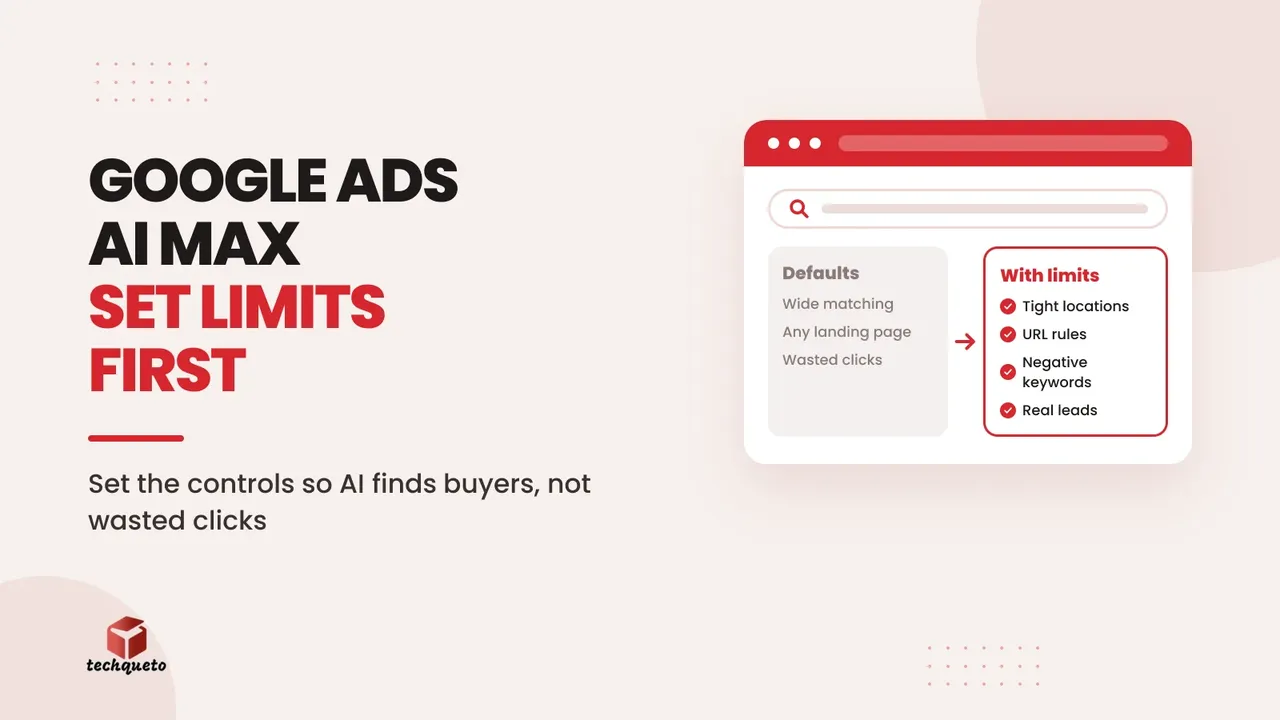
AI Max performs best inside clear limits. Set these before turning it on, or review them now if your campaigns were migrated:
- Brand exclusions and inclusions. Decide whether you want to appear for your own brand name in this campaign (often better handled in a separate brand campaign) and add competitor brands you don't want to bid on. Google says existing brand settings carry over, but an account that was never audited may carry over the wrong ones.
- Locations. Narrow targeting to the cities or regions you actually serve. A Pune clinic paying for searches from Kolkata is a common, avoidable leak.
- URL inclusions and exclusions. Tell the system which pages are eligible landing pages, and exclude ones that shouldn't get ad traffic: careers, blog posts, policy pages, out-of-stock categories.
- Text guidelines. Use the text customisation controls to set words and claims to avoid, especially around prices, guarantees or regulated services, and review generated assets before they run widely.
- Negative keywords. Keep your existing negative list and add to it as soon as irrelevant searches appear.
Test with an experiment, not a switch
Google's upgrade flow offers a one-click experiment that runs AI Max alongside your existing setup on a share of traffic. Use it. Industry averages don't tell you what will happen to your search terms and margins.
Run it for at least two to three weeks, and judge it on cost per conversion or ROAS checked against real enquiries and orders, not on clicks or impressions. Avoid starting it in the middle of your busiest season; launch it a few weeks before so you have a read while there's still time to adjust.
Watch the search terms closely at first
For the first two to three weeks after AI Max goes live on a campaign, check the search terms report daily rather than weekly. Irrelevant matches caught early cost a few hundred rupees; caught a month later, a few thousand. Add negatives for anything that doesn't fit, and look for patterns: a whole category of informational searches ("what is", "how to", "free") often needs excluding for service businesses.
Also check which landing pages AI Max is choosing. If it keeps sending traffic to a weak page, either improve that page or exclude it.
Make sure it's optimising for the right thing
Automated bidding is only as good as the conversions you feed it. If a form-view, a click on your phone number or a page visit counts as a conversion, AI Max will happily find more of those, whether or not they become customers. Before scaling:
- count only meaningful actions as primary conversions (a submitted enquiry, a completed call of a minimum length, a purchase),
- import offline conversions or qualified leads from your CRM if you can,
- check that conversions in Google Ads roughly match real enquiries and orders.
The same principle applies to Meta's automated campaigns; our Meta ads guide covers the equivalent checks there. And if clicks are arriving but enquiries aren't, the problem is often on the landing page rather than in the campaign, which our guide to fixing a clicks-but-no-leads funnel walks through.
A worked example
These figures are illustrative, not from a real account. A Mumbai interior design studio spends ₹60,000 a month on Search and gets 30 qualified enquiries, ₹2,000 each. After AI Max is switched on without controls, enquiries rise to 34 but spend rises to ₹85,000: about ₹2,500 per enquiry, and a quarter of the new searches turn out to be from people looking for interior design courses and jobs.
After adding negatives for "course", "jobs" and "salary", excluding the careers page and narrowing locations to Mumbai and Thane, spend settles at ₹65,000 for 36 enquiries, about ₹1,800 each. AI Max did find extra customers; it just needed limits to do it profitably.
Search campaigns for lead generation are part of our own work. Amit Co Renewable, a renewable-energy company on our work page, is one example, with Meta and search lead-gen campaigns. For an advertiser like that, the controls above decide whether AI Max brings more enquiries from people who want an installation, or more clicks from people who are only researching the topic.
Your AI Max checklist
- Export a 30-day baseline and your top search terms.
- Set brand, location and URL controls and text guidelines.
- Keep and extend your negative keyword list.
- Run an experiment for two to three weeks before a full switch.
- Review search terms daily for the first few weeks.
- Count only meaningful conversions, and check them against real leads.
AI Max shifts your job from choosing every keyword to setting the boundaries the system works inside. Businesses that set those boundaries carefully tend to get the upside; those that accept the defaults usually find out from next month's bill.